Recycly provides a TWO powerful Export functions to allows users to download data in a structured format, such as Excel or CSV.
This is especially useful for reporting, data analysis, or data sharing tasks. These feature are accessible via the the BASIC EXPORT button and (when more or items are ticked), the Actions > ADVANCED EXPORT menu within most list views across Recycly modules, including the Address Book, Inbound Orders, Collections, Sales Orders, Items & Lots etc.
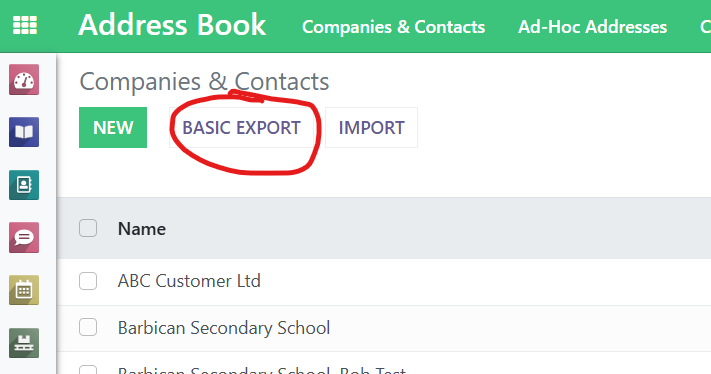
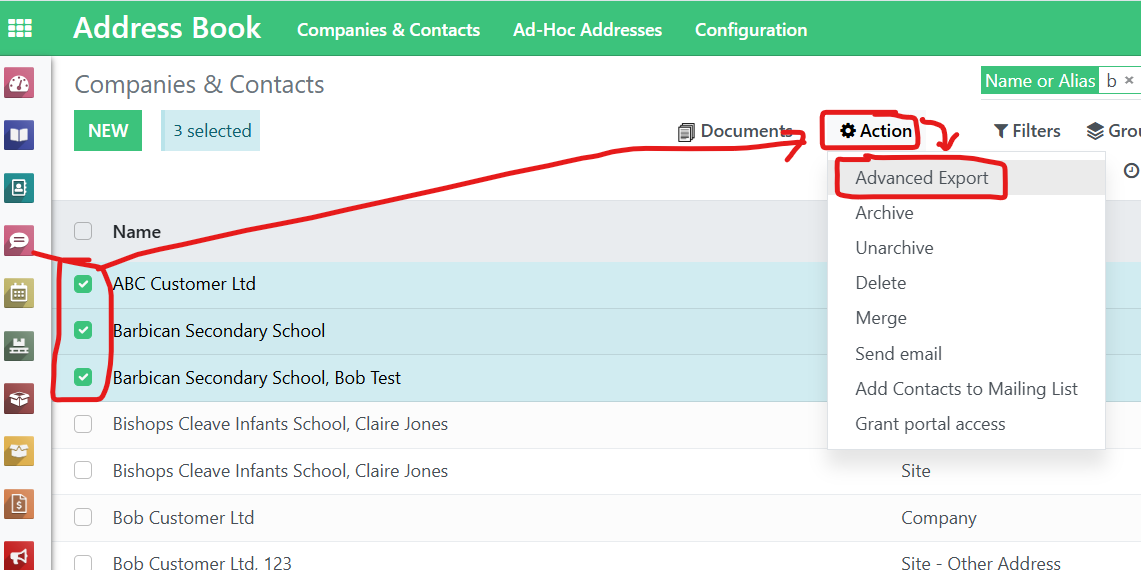
Using the Advanced Export functionality
Navigate to the desired module
Go to the list view of the data you wish to export, for example: Inbound Orders and switch to List view.
Select the records to export
Use the checkboxes on the left to select the records you wish to export. Make sure you use the select all button if there are a large number of records to export.
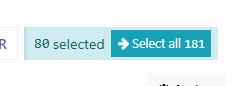
Click on the "Actions" menu
Located at the top of the list view, click Actions and choose Export.
Using the Export Data screen
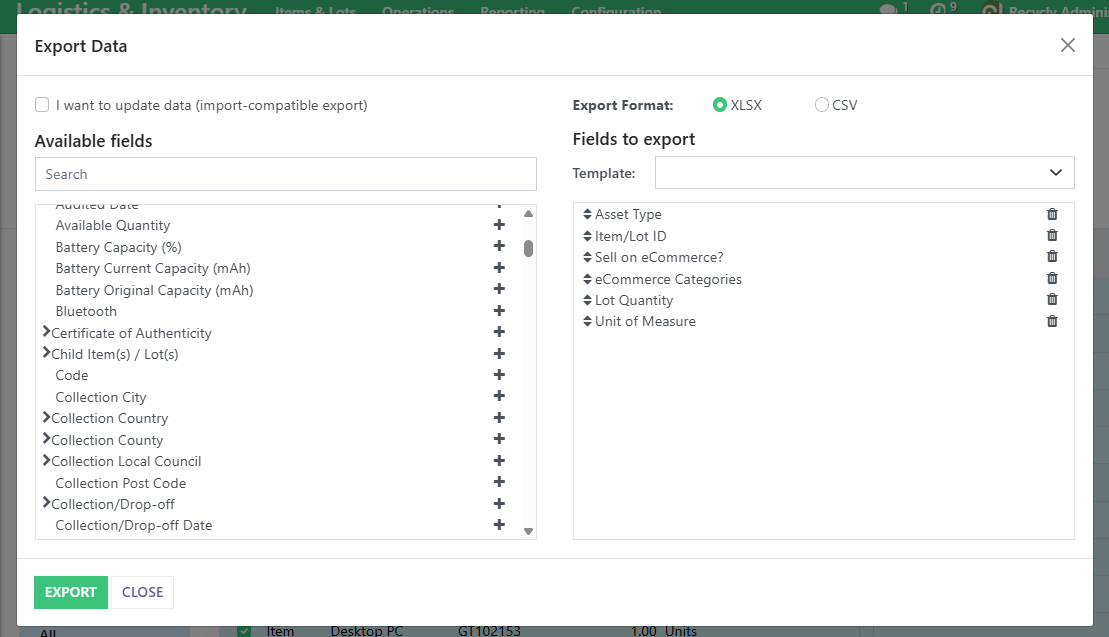
Choose fields to export
The Export Data window allows you to do the following:
- Select Export Format (CSV or Excel).
- Choose Import-Compatible Export mode, which outputs additional information and fields, which allows the data to be re-imported later from the export file.
- Use the Available Fields section to search and add fields. Click the + icon to include them in the Fields to Export list. Drag to reorder if needed.
Saving an export template (optional but recommended)
To reuse your selected export configuration:
- Click the Template field (above the Fields to Export list) and select New template.
- Enter a name for the export template in the Save as box that appears (e.g. Stock List Export)
-
Click the small Save icon button, to the right of the Save as box
- Click Export to download the file.
Reusing export templates
Next time you open the Export window from the same area of Recycly, select your saved template from the dropdown to instantly load your preferred fields.