Restricting Access to Document Templates and Email Templates
Previous Article
3 of 5
in Recycly User & Setup Guides
Next Article
In some cases, such as multi-company setups, or multi-department setups, you may wish to restrict access to Email and Document templates to certain groups of users, instead of making them available to all users.
Restricting access to Document Templates
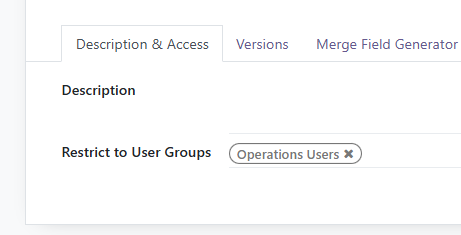
You can restrict access to Document Templates using the "Restrict to User Groups" option on the Description & Access tab (available since Recycly 2025.10.5)
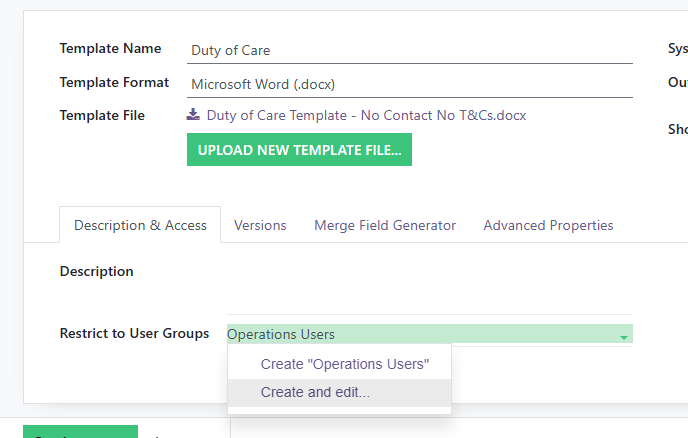
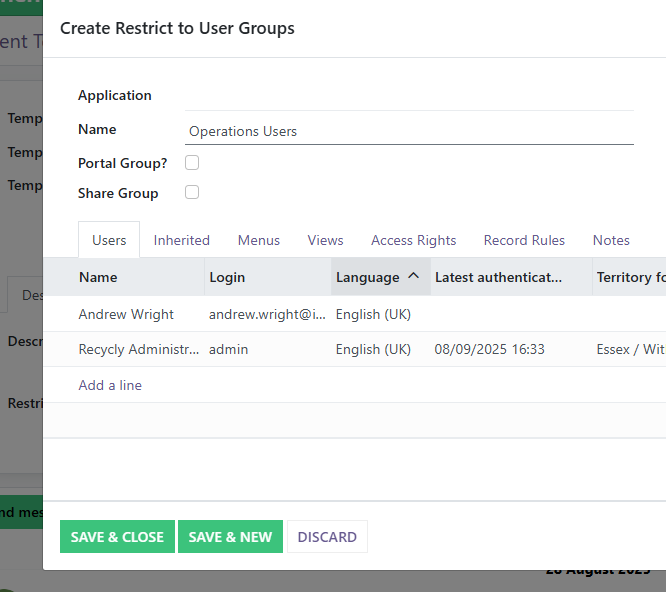
If the group you want to use doesn't exist, you can create it using the "Create and Edit" option shown above.
Remember to add the appropriate Users to the group
Restricting access to Email Templates
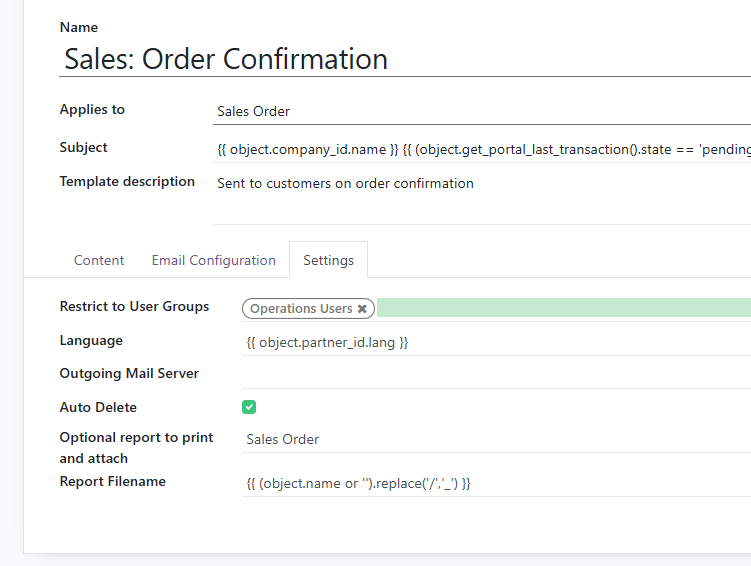
You can restrict access to Email Templates using the "Restrict to User Groups" option on the Settings tab when editing an email template
More in Document Templates
-
Important note: read this firstThis article is under review while we attempt to make all documents generated from document templates in RecyclyERP...
-
Recycly allows you to create and edit Document Templates (Quote, Sales Order, etc.) and Report Templates (Inventory Report, Certificates of Data Destruction)...
-
When creating new Document or Reports via the Documents app, you might find that when you download them, they have a somewhat cryptic filename, as in the...
-
When adding a Document Template as a standard attachment to an email template, you might find when you generate emails from the template, you end up with a bit...
Still stuck? Contact the Recycly support team