In RecyclyERP, each collection can optionally have have one Driver, and one or more crew
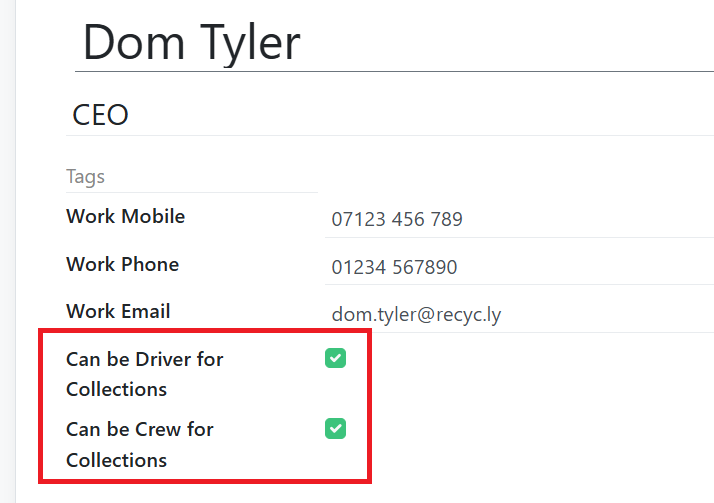
You can choose who shows as Drivers and who shows as Crew in RecyclyERP's Employees app, which has two tick boxes:
Can be Driver for Collections
Can be Crew for Collections
It is optional whether Employees are linked to Users in RecyclyERP
The benefit of linking Employees to Users, is that you can store more HR-related information in their Employee record
Note that each User incurs a monthly user fee, hence the option to have Employees who are NOT Users, giving you the opportunity to add Drivers and Crew to RecyclyERP without incurring additional license fees
Setting an existing RecyclyERP User to be available as a Driver
Go into the Settings & Users to open the user record, so we can access (and create if needed) their Employee record
If the user is not linked to an employee record, you'll see a CREATE EMPLOYEE button at the top which you can click now
If the user is already linked to an employee record, you'll see a 1 Employee(s) button near the top-right which you can click now
While in the Employee record, tick the appropriate option(s):
Can be Driver for Collections
Can be Crew for Collections
Adding a Driver to RecyclyERP without adding a matching User
Go into the Employees App and open or create the employee
Tick the appropriate option(s):
Can be Driver for Collections
Can be Crew for Collections
More in Collections, Drop-offs, Drivers, Logistics
OverviewYou can switch view between List, Kanban, Calendar, Pivot, Graph, and Schedule views in the main Collections & Drop-offs screen.Here are some...
In Recycly, each warehouse operation type—such as Collection / Drop-offs—is linked to specific source and destination stock locations. To update the default...
Often customers are not able to be specific about the exact types and quantities of equipment that is due to be collected.This article describes how to set up...